Canonical Tag Checker
Validate canonical tags across your pages. Detect missing canonicals, conflicts, and misconfigurations that cause duplicate content issues.
Enter up to 50 URLs, one per line
How It Works
Paste your URLs
Enter up to 20 URLs to check, one per line.
Analyze canonicals
We fetch each page and extract the canonical tag.
Review results
See the canonical URL, status, and any issues for each page.
WHAT YOU'LL SEE
See exactly what the Canonical Tag Checker delivers
A clear, actionable report in seconds. No signup. No email required. Watch the live preview below.
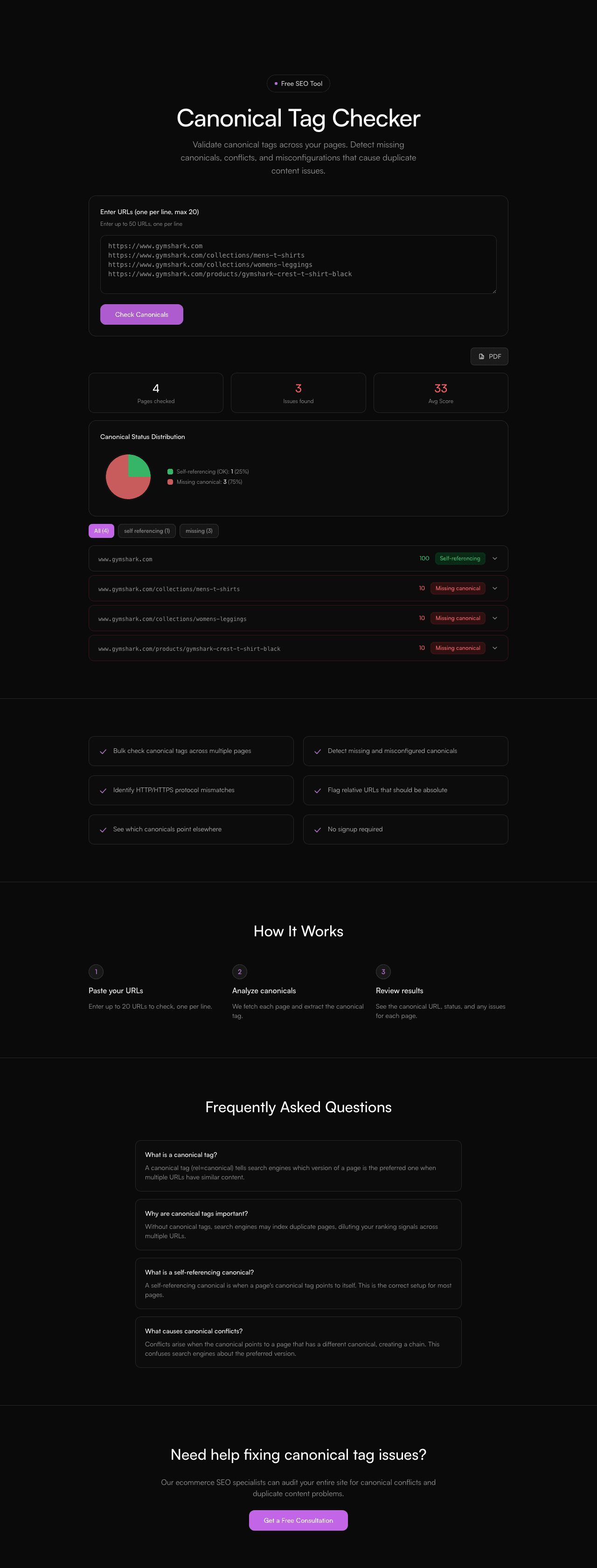
- Instant results, no signup required
- Clear pass/fail breakdown with severity
- Actionable fix recommendations, prioritised
- Works with any ecommerce platform
Frequently Asked Questions
What is a canonical tag?
A canonical tag (rel=canonical) tells search engines which version of a page is the preferred one when multiple URLs have similar content.
Why are canonical tags important?
Without canonical tags, search engines may index duplicate pages, diluting your ranking signals across multiple URLs.
What is a self-referencing canonical?
A self-referencing canonical is when a page's canonical tag points to itself. This is the correct setup for most pages.
What causes canonical conflicts?
Conflicts arise when the canonical points to a page that has a different canonical, creating a chain. This confuses search engines about the preferred version.
Need help fixing canonical tag issues?
Our ecommerce SEO specialists can audit your entire site for canonical conflicts and duplicate content problems.
Get a Free Consultation