Core Web Vitals Checker
Check LCP, CLS, and INP scores for mobile and desktop using Google PageSpeed Insights.
How It Works
Enter your domain
Type any domain or URL you want to analyze.
Run PageSpeed Insights
We query Google's PageSpeed Insights API for both mobile and desktop scores.
Review scores
See LCP, CLS, and INP scores with Good / Needs Improvement / Poor ratings.
WHAT YOU'LL SEE
See exactly what the Core Web Vitals Checker delivers
A clear, actionable report in seconds. No signup. No email required. Watch the live preview below.
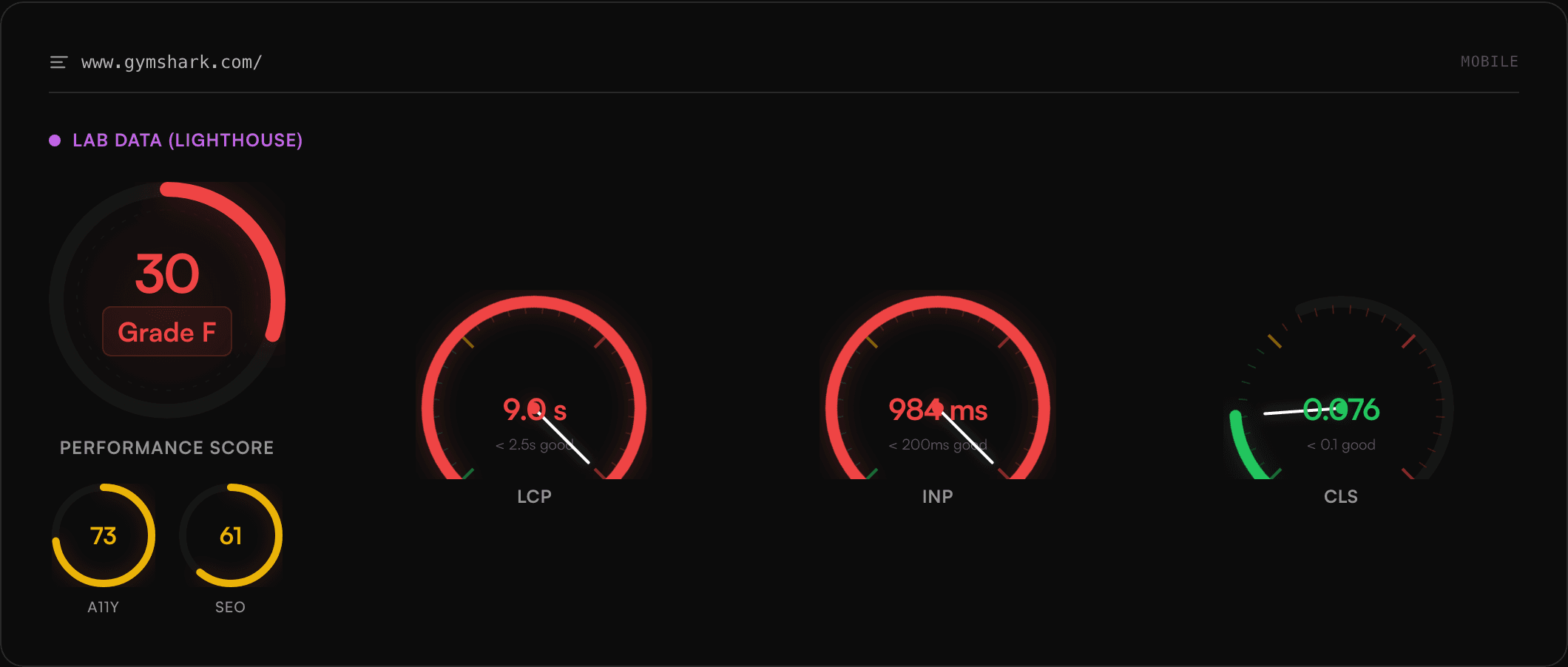
- Instant results, no signup required
- Clear pass/fail breakdown with severity
- Actionable fix recommendations, prioritised
- Works with any ecommerce platform
Frequently Asked Questions
What are Core Web Vitals?
Core Web Vitals are Google's set of specific factors that measure real-world user experience: LCP (loading), CLS (visual stability), and INP (interactivity).
What is a good LCP score?
LCP should be 2.5 seconds or less for a good rating. Between 2.5s–4s needs improvement, and above 4s is poor.
What is a good CLS score?
CLS should be 0.1 or less for a good rating. Between 0.1–0.25 needs improvement, and above 0.25 is poor.
What is INP?
INP (Interaction to Next Paint) measures overall page responsiveness. Good is under 200ms, needs improvement is 200–500ms, and poor is above 500ms.
Need help improving your Core Web Vitals?
Our performance team can diagnose and fix LCP, CLS, and INP issues to boost your rankings.
Book a Free Consultation