Google SERP Simulator
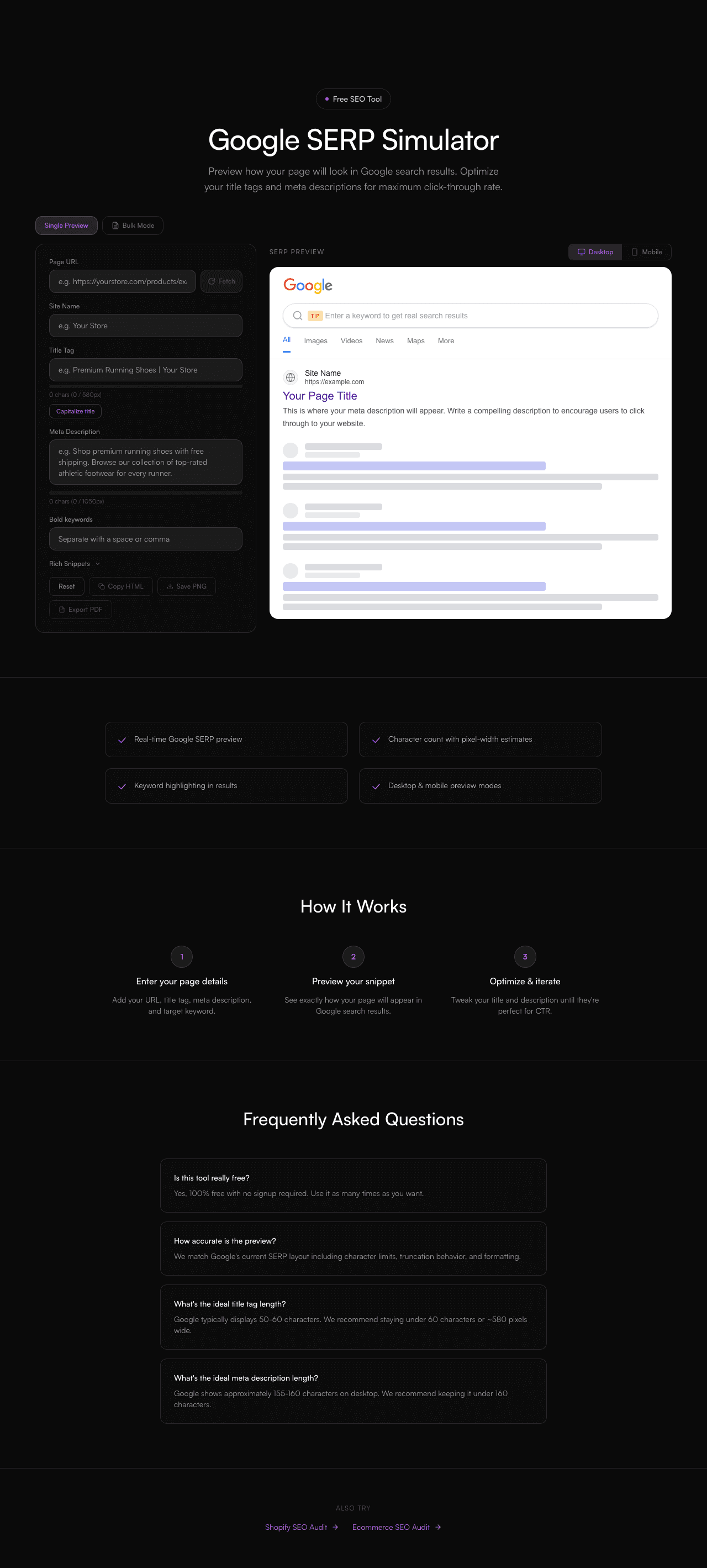
Preview how your page will look in Google search results. Optimize your title tags and meta descriptions for maximum click-through rate.
Site Name
https://example.com
Your Page Title
This is where your meta description will appear. Write a compelling description to encourage users to click through to your website.
How It Works
Enter your page details
Add your URL, title tag, meta description, and target keyword.
Preview your snippet
See exactly how your page will appear in Google search results.
Optimize & iterate
Tweak your title and description until they're perfect for CTR.
WHAT YOU'LL SEE
See exactly what the Google SERP Simulator delivers
A clear, actionable report in seconds. No signup. No email required. Watch the live preview below.
- Instant results, no signup required
- Clear pass/fail breakdown with severity
- Actionable fix recommendations, prioritised
- Works with any ecommerce platform
Frequently Asked Questions
Is this tool really free?
Yes, 100% free with no signup required. Use it as many times as you want.
How accurate is the preview?
We match Google's current SERP layout including character limits, truncation behavior, and formatting.
What's the ideal title tag length?
Google typically displays 50-60 characters. We recommend staying under 60 characters or ~580 pixels wide.
What's the ideal meta description length?
Google shows approximately 155-160 characters on desktop. We recommend keeping it under 160 characters.